
文章封面:
WIKI地址
https://comfyui-wiki.com/zh/install
便携下载地址:
https://github.com/comfyanonymous/ComfyUI/releases
便携版自带CUDA,python等,所以不需要考虑你的电脑安装了什么版本。ComfyUI与CUDA126、CUDA128有一定的优化,所以有一个单独的版本。
便携版安装ComfyUI-Manager
官方地址:https://github.com/Comfy-Org/ComfyUI-Manager
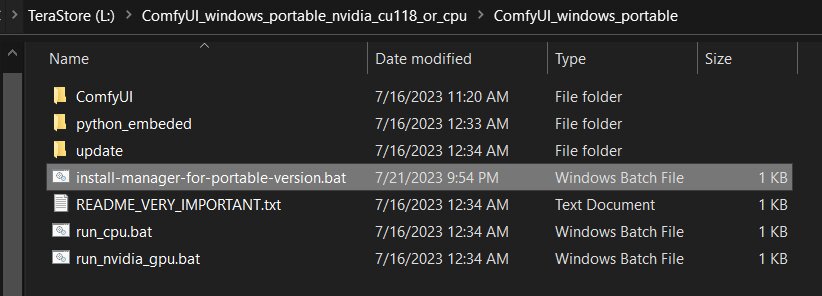
下载 scripts/install-manager-for-portable-version.bat(不要点击,右键另存为)到ComfyUI_windows_portable目录下双击运行即可。
Manager无法安装自定义频道的节点
[Installation Errors] 'Prompt Assistant': With the current security level configuration, only custom nodes from the **"default channel"** can be installed.
首先确定的是我们需要将 security_level = normal 改为 security_level = weak ,问题在于这个文件在哪里,这个文件有很多次调整位置所以根据你使用的 ComfyUI 的版本不同,他的位置也不同。
v0.4-v0.91: 这个文件在\ComfyUI_windows_portable\ComfyUI\user\__manager\config.ini
其它可能的地方:
ComfyUI\custom_nodes\ComfyUI-ManagerComfyUI\user\default\ComfyUI-Manager
建议都找一找,看一看。
自定义模型目录
在 ComfyUI_windows_portable\ComfyUI 内有一个 extra_model_paths.yaml.example 的文件,将其变为 extra_model_paths.yaml 后进行修改,官方的 example 文件已经注释过了 a1111 版本的模型目录,你需要取消注释并修改基础目录 base_path 将其指向你的 a1111 版本的 weiui 地址即可。
导出现有的可用节点名称
主要是为了方便 AI 能够让其知道能够使用哪些,在 comfyui 的网页上,打开 开发者工具 -> 控制台 ,使用下面的代码
// 获取所有已注册节点的内部名称
const allNodes = Object.keys(LiteGraph.registered_node_types);

// 按字母顺序排序
allNodes.sort();

// 将列表格式化为文本,并自动复制到你的剪贴板
const nodeListText = allNodes.join('\n');
copy(nodeListText);

// 在控制台提示结果
console.log("✅ 成功!已将 " + allNodes.length + " 个可用节点名称复制到剪贴板。");
console.log("请直接在对话框中粘贴 (Ctrl+V) 发送给我。");
参考资料